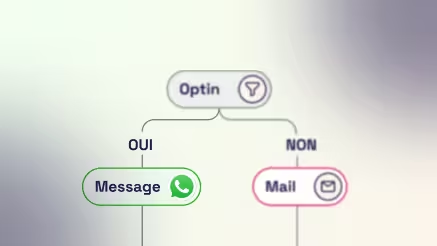
Grow Your WhatsApp Opt-In List and Drive More Conversions
A WhatsApp opt-in is the explicit agreement given by a customer to receive your messages on WhatsApp. Without this consent, Meta does not allow any marketing sends: collecting opt-ins is therefore not a formality; it is what makes the channel usable.
Simio covers the three steps that follow: collect consent, centralize proof of opt-in, and then activate those contacts. Pop-up, checkout, QR code, form, or click-to-WhatsApp conversation: every touchpoint feeds the same database, ready to use directly in your CRM scenarios.








How to launch your WhatsApp marketing strategy in four steps
Step 1
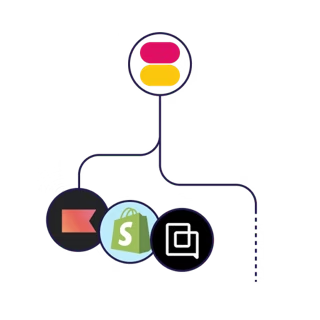
Link your CRM and your CMS, then grow a consented WhatsApp audience.
Step 2
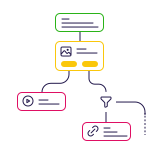
Build personalized campaigns and automated journeys with a drag-and-drop editor.
Step 3
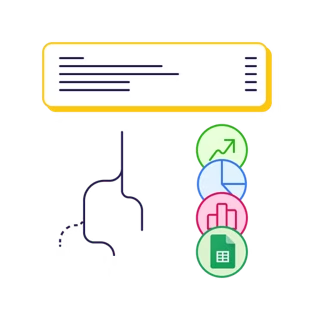
Track opens, clicks, and revenue per conversation to adjust your strategy.
Step 4
Book a demo and activate WhatsApp with a quick, guided setup.

Structure your WhatsApp opt-in strategy
An opt-in strategy depends on three elements: collection mechanisms placed where intent is strongest, a reliable consent register, and audiences ready to activate. Simio brings all three together, so a contact collected this morning can receive their first campaign that same evening.

Turn your WhatsApp opt-ins into a conversion lever
An opt-in is only as valuable as what you do with it. Targeted campaigns and behavioral automations complement one another: the former create the opportunity, while the latter capture intent when it appears. Simio brings together the four essential building blocks.
- Create WhatsApp campaigns sent to your opt-in segments: new products, private sales, promotional codes, or usage advice.
- Automatically trigger messages from the events reported by your store or CRM.
- Track clicks, replies, and sales by campaign to keep the activations that generate returns and stop the others.
- Connect to your e-commerce and CRM stack to integrate WhatsApp into journeys already managed in Shopify or your usual tools.
Et ça marche
Automate your WhatsApp activations
The usual reflex is to stack an email tool, a WhatsApp connector, and a scenario manager: data becomes scattered, and follow-ups overlap. With Simio, campaigns and automations share the same opt-in database and the same conversation history.
- Simio sends abandoned cart follow-ups when an opted-in contact leaves your store before completing their purchase.
- Simio launches browse abandonment scenarios to reach visitors who viewed products without placing an order.
- Simio automates your welcome flows, back-in-stock alerts, confirmations, and repeat-purchase journeys on WhatsApp.
- Simio coordinates your campaigns and follow-ups based on your customers' actual actions, not a fixed schedule.
Activate your contacts according to your marketing goals
Not all opt-ins are equal: a contact who has just signed up and a loyal customer do not expect the same message.
Simio segments your database based on how long ago consent was given and purchase history, then sends each person the appropriate scenario: welcome, product discovery, abandoned cart, browse abandonment, or back-in-stock.
The value of an opt-in is then built over time. Order confirmations, post-purchase follow-up, restock reminders, and personalized recommendations keep the conversation going, so your database stays active instead of eroding after the first campaign.